
If you're running a small business, there's a good chance you've thought about outsourcing your IT at some point. Maybe your current setup is a mix of "the person who's good with computers" and a stack of problems that never quite get resolved. Maybe you're growing and the technology side of things is getting harder to manage on your own.
Either way, you're not alone. The outsourced IT service market has been growing steadily because most small businesses simply can't justify hiring a full-time IT department. And honestly, they don't need to.
This guide breaks down what outsourced IT actually is, the different ways it works, what you should expect from a provider, and how to figure out if it's the right move for your business.
What Outsourced IT Actually Means
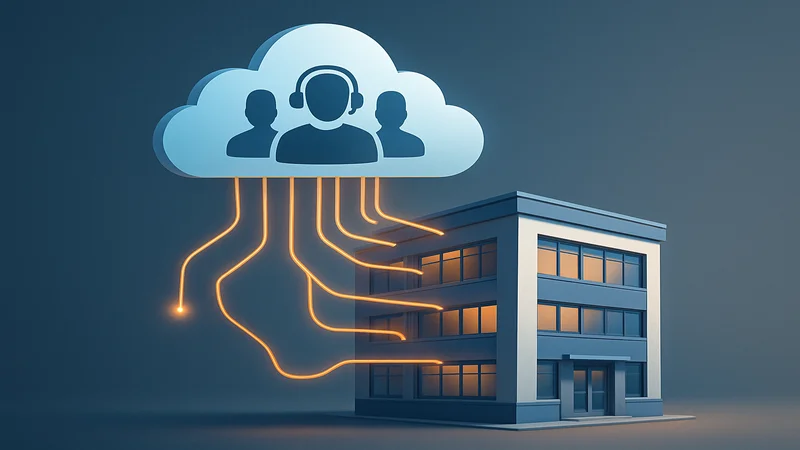
Outsourced IT is when you hire an outside company to handle some or all of your technology instead of doing it in-house. That company, usually called a managed service provider (MSP), becomes your outsourced IT department.
Think of it like hiring an accounting firm instead of a full-time accountant. You get the expertise, the tools, and the coverage without the overhead of building an internal team from scratch.
The provider typically monitors your systems around the clock, handles day-to-day support requests, manages your cybersecurity, runs backups, keeps software updated, and helps you plan for the future. The scope depends on what you need and what model you choose.
3 Types of Outsourced IT
Not all outsourced IT looks the same. Here are the three main models, and when each one makes sense.
1. Fully Managed IT
This is the most common model for small businesses. The provider handles everything: your help desk, monitoring, cybersecurity, backups, vendor management, hardware purchasing and planning. Nobody on your team has to think about IT at all.
This is what we do for most of our clients at NGT Technology. You get a full IT department's worth of expertise at a predictable monthly cost. For a deeper look at what this costs, check out our breakdown of managed IT services pricing.
2. Co-Managed IT
Already have an IT person or a small internal team? Co-managed IT fills in the gaps. Your internal team handles the day-to-day stuff, and the outsourced provider steps in for things like cybersecurity, after-hours support, complex projects, or strategic planning.
This model works well for businesses that have outgrown what one IT person can handle but aren't ready to build a full department. We've written a complete guide to co-managed IT if you want to dig deeper into how that works.
3. Project-Based IT
Sometimes you don't need ongoing support. You just need help with a specific project. An office move, a server migration, a network overhaul, setting up a new location. Project-based IT is billed per project or per hour and ends when the work is done.
This is the most flexible option, but it doesn't give you the proactive monitoring and ongoing protection that the other two models provide.
Why Small Businesses Outsource IT
Let's talk about the actual reasons businesses make this move. It's not just about saving money (though that's a big one).
Predictable costs. Instead of surprise bills every time something breaks, you pay a flat monthly fee. That makes budgeting a lot easier. Most outsourced IT providers charge per user or per device, so you know exactly what you're spending.
Access to a full team. When you hire one IT person, you get one person's knowledge. When you outsource, you get a team with expertise across cybersecurity, networking, cloud, compliance, and more. You're getting specialists without paying specialist salaries.
Proactive instead of reactive. A good outsourced IT provider isn't sitting around waiting for things to break. They're monitoring your systems 24/7, patching vulnerabilities, and catching problems before they cause downtime. That's a completely different experience from the "call someone when it breaks" approach.
Better cybersecurity. Small businesses are a prime target for cyberattacks, and the tools and know-how to defend against them are expensive if you're doing it alone. An outsourced IT provider spreads that cost across all their clients, so you get big-company security tools at a small-business price.
You get to focus on your business. This is the one that matters most. Every hour you or your team spends troubleshooting a printer, dealing with a phishing email, or figuring out why the Wi-Fi is slow is an hour you're not spending on revenue-generating work.
What's Typically Included
The specifics vary by provider, but here's what a solid outsourced IT service should include:
- Help desk support: a real person to call or email when something isn't working
- 24/7 monitoring: automated systems watching your network, servers, and endpoints around the clock
- Cybersecurity: endpoint protection, email filtering, firewall management, and security awareness training
- Backup and disaster recovery: automated backups with tested restore procedures
- Patch management: keeping your operating systems, software, and firmware up to date
- Vendor management: dealing with your internet provider, software vendors, and hardware warranties so you don't have to
- Strategic planning: regular reviews of your technology roadmap, budget planning, and recommendations for improvement
- Onboarding and offboarding: setting up new employees and securely removing access for departing ones
If a provider you're looking at doesn't include most of these, that's a red flag. These aren't extras. They're the baseline.
Want to See What Outsourced IT Looks Like for Your Business?
We'll walk through your current setup, identify gaps, and show you exactly what a managed IT partnership would include. No pressure, no sales pitch.
Book a Free Discovery CallOutsourced vs. In-House IT: A Quick Comparison
This is the big question most business owners wrestle with. Let me lay it out clearly.
| Outsourced IT | In-House IT | |
|---|---|---|
| Cost | $100-250/user/month | $60,000-$90,000+/year salary + benefits for one person |
| Expertise | Full team of specialists | Limited to one person's skills |
| Coverage | 24/7 monitoring included | Business hours only (unless you pay overtime) |
| Scalability | Add/remove users as needed | Need to hire more people as you grow |
| Cybersecurity | Enterprise-grade tools and expertise | Dependent on one person's knowledge |
| Risk | No single point of failure | If they leave, you're starting over |
For most small businesses with 5 to 50 employees, outsourced IT is the better deal by a wide margin. You'd need to be well over 50 employees before building an internal IT department starts to make financial sense.
That said, it's not either/or. If you already have internal IT staff, co-managed IT lets you keep them and add backup.
How to Evaluate an IT Provider
If you're thinking about outsourcing, picking the provider matters more than anything else. Here's what to look for (and what to watch out for).
Response times. Ask what their average response time is and get it in writing. If they can't give you a clear answer, that's a problem. You want a provider that responds the same day, not "when they get to it."
Proactive monitoring. Ask whether they monitor your systems 24/7 and what tools they use. If their approach is mostly reactive (they fix things after they break), keep looking.
Cybersecurity included. Security shouldn't be an expensive add-on. It should be baked into the service. Ask about endpoint protection, email security, backup monitoring, and security awareness training.
Clear pricing. You should know exactly what you're paying for. Beware of providers with rock-bottom prices that nickel-and-dime you on every support request. Flat-rate, per-user pricing is the most transparent model.
Local presence. Can they come on-site when needed? For businesses in the Lawrenceville, GA area, having a local provider matters. Some problems can't be fixed remotely.
References and retention. Ask how long their clients have been with them. High retention is a good sign. At NGT Technology, most of our original clients are still with us today.
You keep control. This is non-negotiable. You should have full admin access to your own systems, accounts, and data at all times. If a provider wants to be the sole admin on your Microsoft 365 tenant or your domain registrar, walk away.
If you're currently with a provider that isn't meeting expectations, we've put together a guide to switching IT providers that walks through the process step by step.
Signs Your Business Is Ready
Still on the fence? Here are some clear signs it's time to seriously consider outsourcing your IT.
- IT problems are costing you real time. If your team regularly loses hours to tech issues, slow computers, or "the internet is down again," you're already paying for IT support. You're just paying in lost time instead of a monthly fee.
- Nobody owns IT at your company. If technology problems get handled by whoever happens to be available (or whoever drew the short straw), things are falling through the cracks. Critical updates aren't happening. Security gaps are growing.
- You're worried about cybersecurity but don't know where to start. You've heard about ransomware, phishing, and data breaches. You know it's a problem. But you don't have the expertise to do something about it. A managed IT provider handles this from day one.
- You're growing. Adding employees, opening a new location, moving to the cloud. Growth creates technology needs that can quickly overwhelm your current setup.
- Your current IT person is overwhelmed. If your internal IT person is constantly putting out fires and never has time for strategic work, co-managed IT can give them the backup they need.
- You've had a security incident (or a close call). Nothing clarifies priorities like a real scare. If you've been hit by a phishing attack, had a ransomware close call, or discovered that your backups weren't actually working, it's time to bring in professionals.
The Bottom Line
Outsourced IT doesn't mean handing your business to a stranger. It means having a team that takes tech off your plate. The right provider is someone you can call when things go wrong, and someone working behind the scenes so they go wrong less often.
If you're in the Lawrenceville, GA area and want to see what outsourced IT would look like for your business, we'd love to talk. We offer a free discovery call where we'll review your current setup, identify any gaps, and give you an honest assessment of what you need. No obligation, no pressure. Just a conversation. Give us a call at (404) 990-4540 or book online.